
Sigelith Delivery — confirm a parcel with your own phone.
Hold your phone to the courier’s and confirm with your fingerprint. The shop gets a confirmation signed with your own key, and its fingerprint is stamped in the public Sigelith log.
Android 11 or newer. NFC to hold the phones together, Bluetooth from Android 12, the camera for QR codes. Interface in 11 languages.
 Sigelith Courier
What it does
A shop that uses Sigelith Delivery sends a link to your parcel with the shipping e-mail. Open it on your phone and the app keeps the parcel until the courier comes. At the door you hold your phone to the courier’s — or scan the code on their screen — check that it is your parcel and confirm with your fingerprint, face or PIN. The answer goes back to the courier by itself, and your confirmation is stamped in the public log at once.
- Links from shops open in the app; a parcel waits on the phone until it arrives, for up to 30 days.
- Checks the shop’s signature before you can confirm anything.
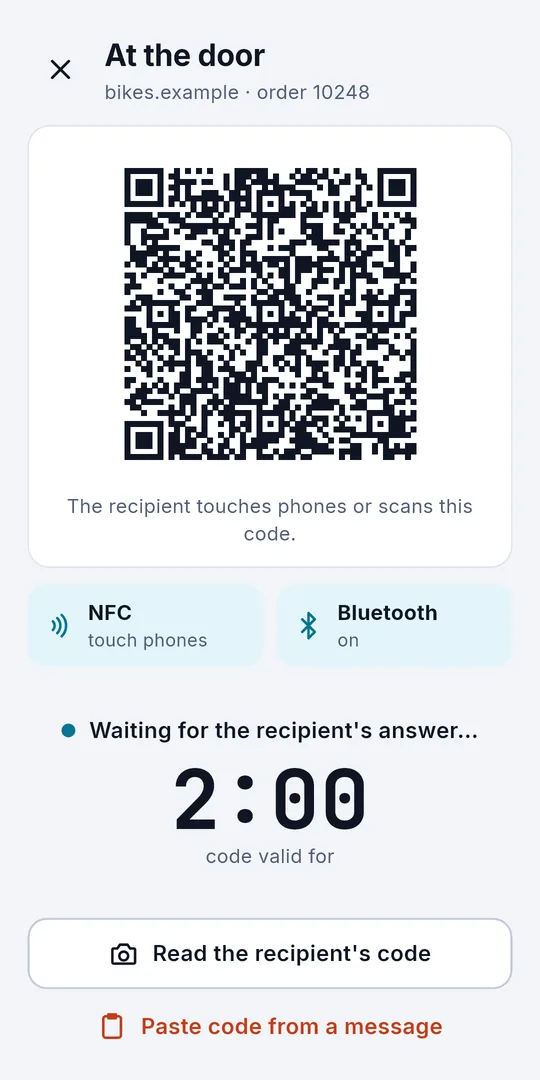
- Hold the phones together (NFC), let the app find the courier’s phone over Bluetooth, or scan the code on the courier’s screen.
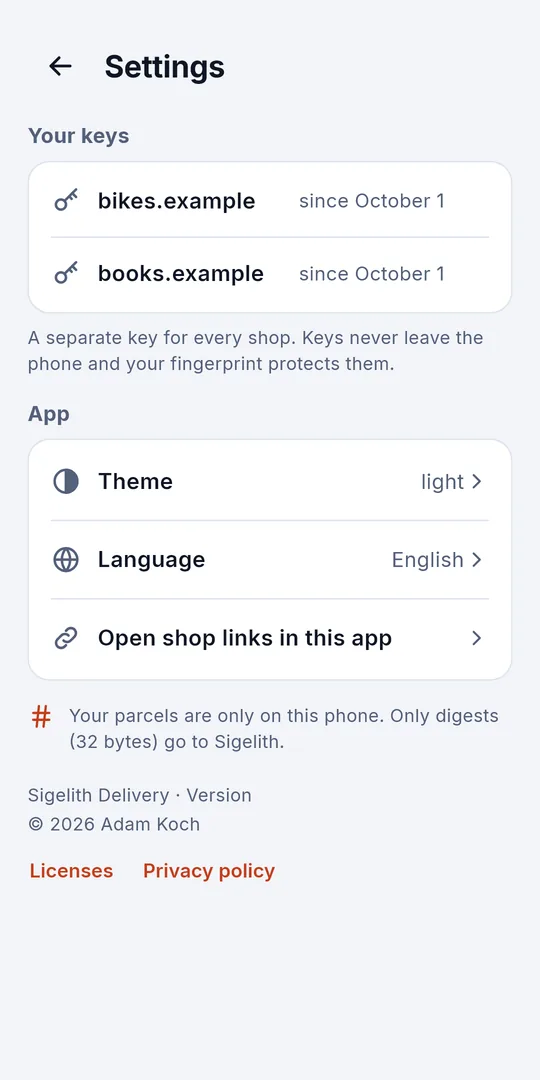
- A separate key for every shop, kept in the phone’s secure key store — shops cannot link your purchases.
- Your fingerprint, face or PIN for every confirmation — nothing is confirmed without it.
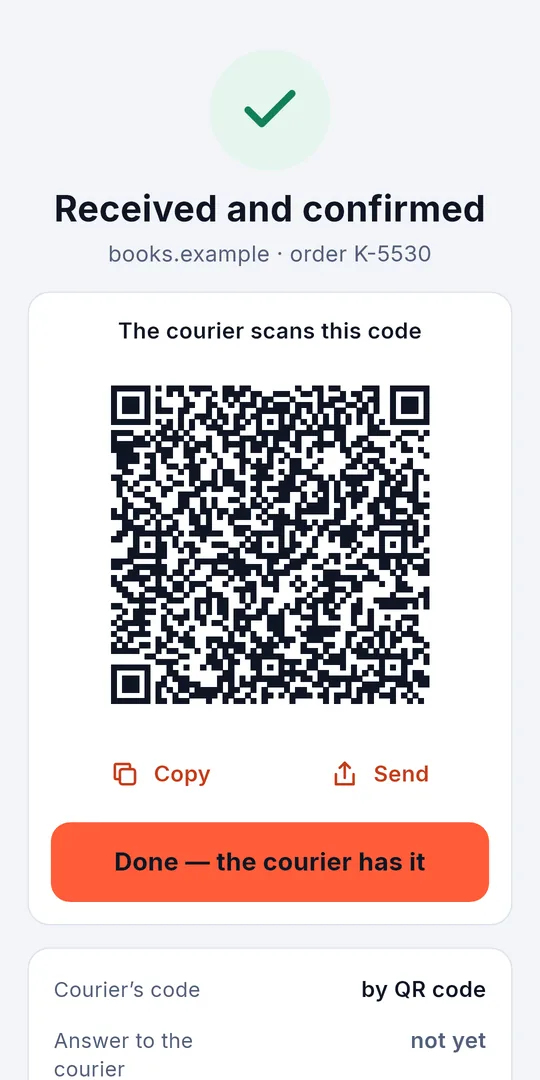
- The answer goes back to the courier by itself: over Bluetooth, on a second touch of the phones, or as a QR code.
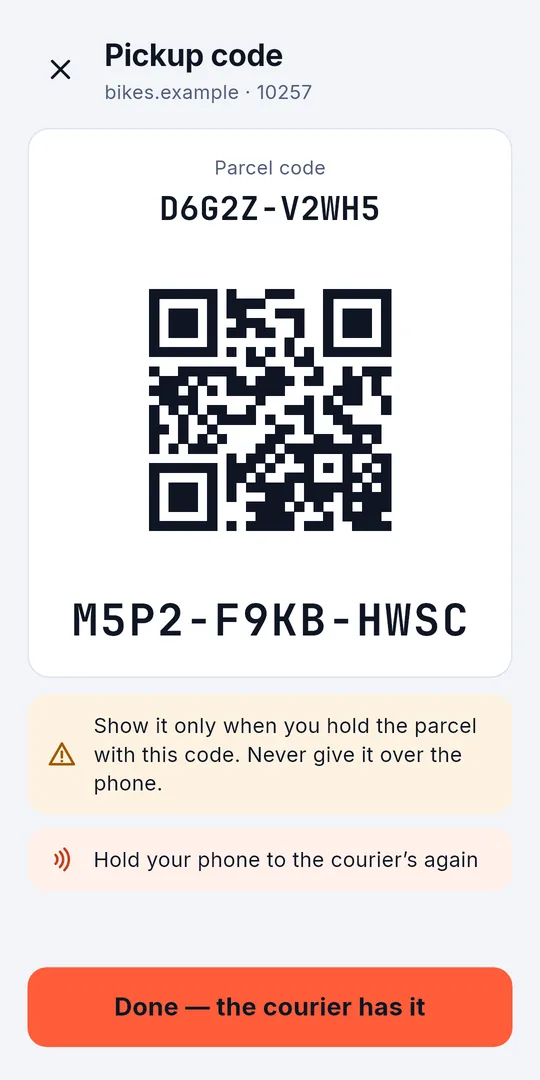
- A shop can send a pickup code instead: the app shows it as a QR code and as text, beside the parcel code, and sends it over NFC or Bluetooth only to the courier with your parcel.
- If confirming does not work, the app offers the fallback code from the shop.
- Afterwards you can keep a PDF confirmation and an evidence file; the QR code on the PDF leads to the stamp in the public log.
- 11 languages, light and dark theme.
Screenshots
At the door
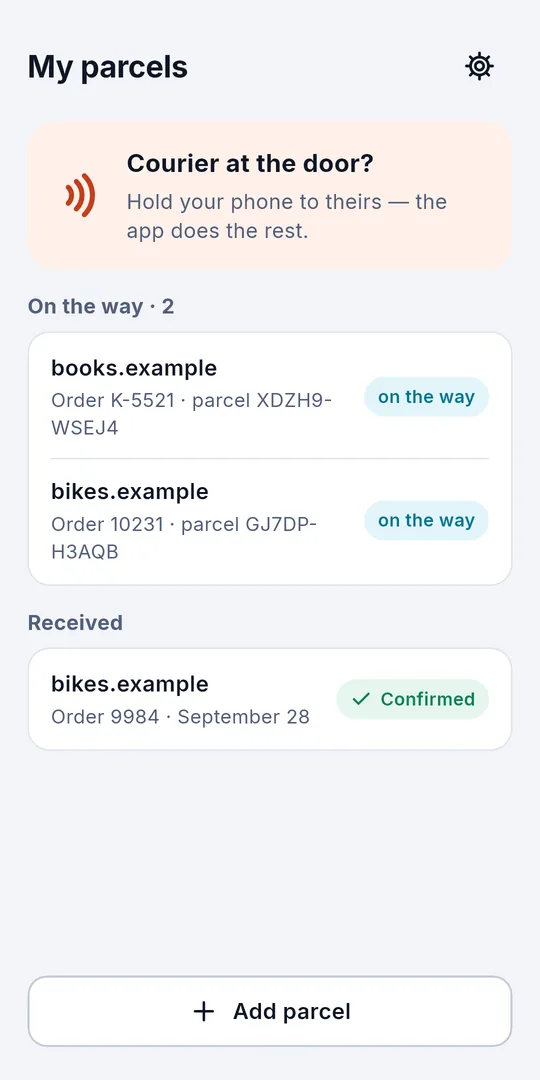
- The shop sends a link With the shipping e-mail. Opened on your phone, it puts the parcel under “My parcels”. The link carries no name and no address.
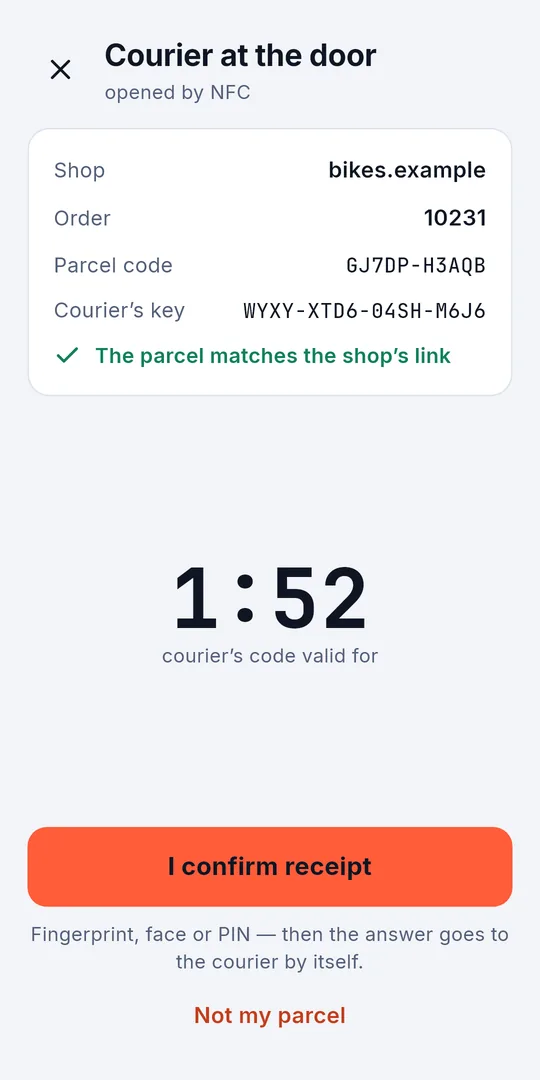
- Hold your phone to the courier’s The app finds your parcel by itself — or scan the code on the courier’s screen. The courier’s code is valid for two minutes; when it runs out, the courier simply shows a new one.
- Check and confirm The shop, the order, the parcel code and the courier’s key, checked against the link from the shop. Then your fingerprint, face or PIN.
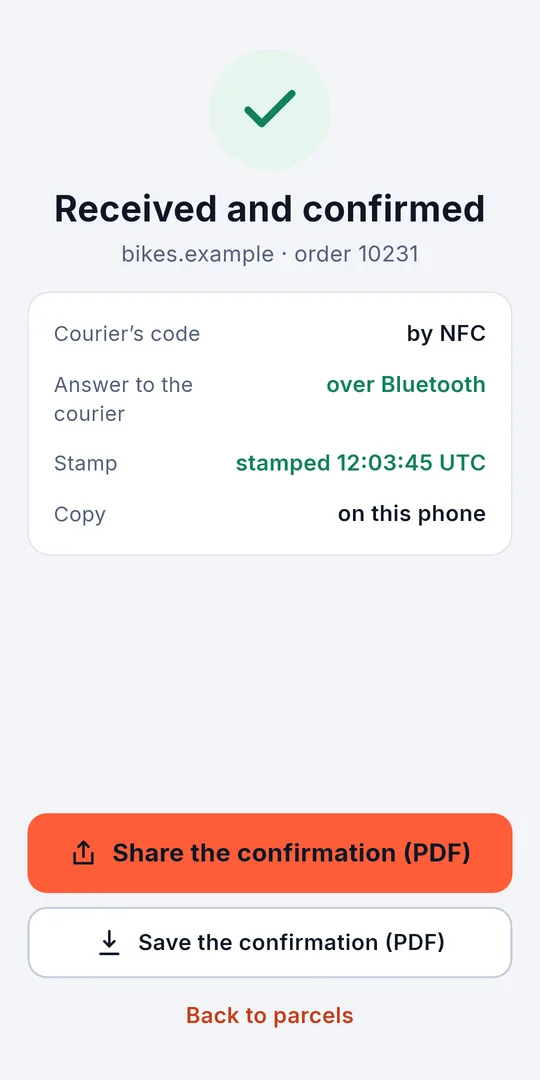
- Done The answer goes back to the courier by itself and your confirmation is stamped in the public log. Your copy stays on the phone, with a PDF you can share or save.
With a pickup code
Some shops send a pickup code instead of asking for your signature. The link from the e-mail keeps it in the app. When the courier comes, the app asks whether you hold the parcel with that code, then shows the code as a QR code and as text — and sends it to the courier when you hold the phones together or choose Bluetooth. Nothing is signed on your phone: the courier’s app checks the code against the label and records the handover.
What your confirmation proves
What this proves: the confirmation was signed with the key of whoever held the link the shop sent, after the courier’s code was shown, and it existed no later than the stamp.
What it does not prove: who the person was, what was in the parcel or its condition.
With a pickup code, the evidence is the courier’s: it shows that the courier’s phone held the code the shop sent only to you — not that you were at the door.
Never required
Every step works in the browser too, on iPhone and Android, with the same link from the shop. The app adds a list of your parcels, NFC on any screen and the answer over Bluetooth — but no shop or courier may require you to install it.
System requirements
Android 11 or newer. NFC to hold the phones together, Bluetooth from Android 12, the camera for QR codes. Interface in 11 languages.
Privacy
Your parcels and keys stay on this phone; the shop’s key card comes straight from the shop’s website. Sigelith receives only 32-byte hashes to stamp — never names, addresses, codes or confirmations. Codes are recognised on the phone by Google ML Kit, which sends Google technical data about its operation. Bluetooth finds the courier’s phone without access to your location. No account, no ads.
Sigelith Courier — for couriers.
Proof of handover confirmed by the recipient’s key and completed by a public stamp. At the door the recipient confirms on their own phone — not with a squiggle on a stranger’s screen — and the moment is recorded in the public Sigelith log.
Sigelith Delivery is free. No account, no ads.