Sigelith Desktop — proofs on your own computer.
Timestamp files without uploading them, verify any proof offline, watch the public log’s independent witnesses — and hand over files with proof of delivery. Free, no account, open source.
 Microsoft Store · coming soon
Source code on GitHub
Microsoft Store · coming soon
Source code on GitHub
Windows 10 (22H2) or Windows 11, 64-bit. Handover works best with Windows Hello.
What it does
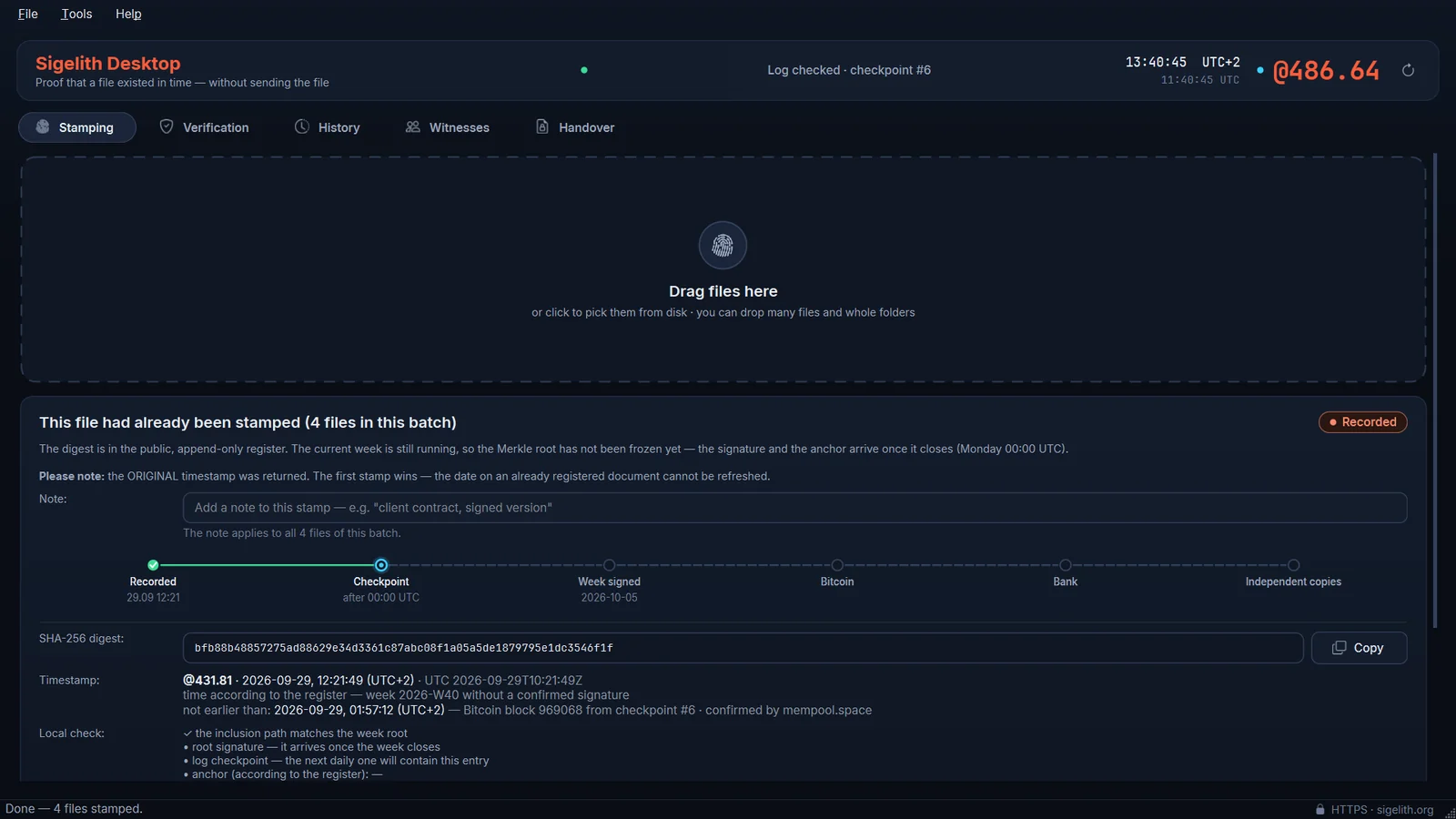
Timestamp files
Drag files onto the window. The app computes each file’s SHA-256 digest on your computer and sends only that digest to the public Sigelith log. You get a PDF certificate and an offline .beatproof proof.
Verify without trusting us
Drop any file to see whether and when it was stamped. The app checks the inclusion path and the signature itself, against keys built into the program. In private mode it keeps its own copy of the public log, so the server never learns which file you check.
Witnesses
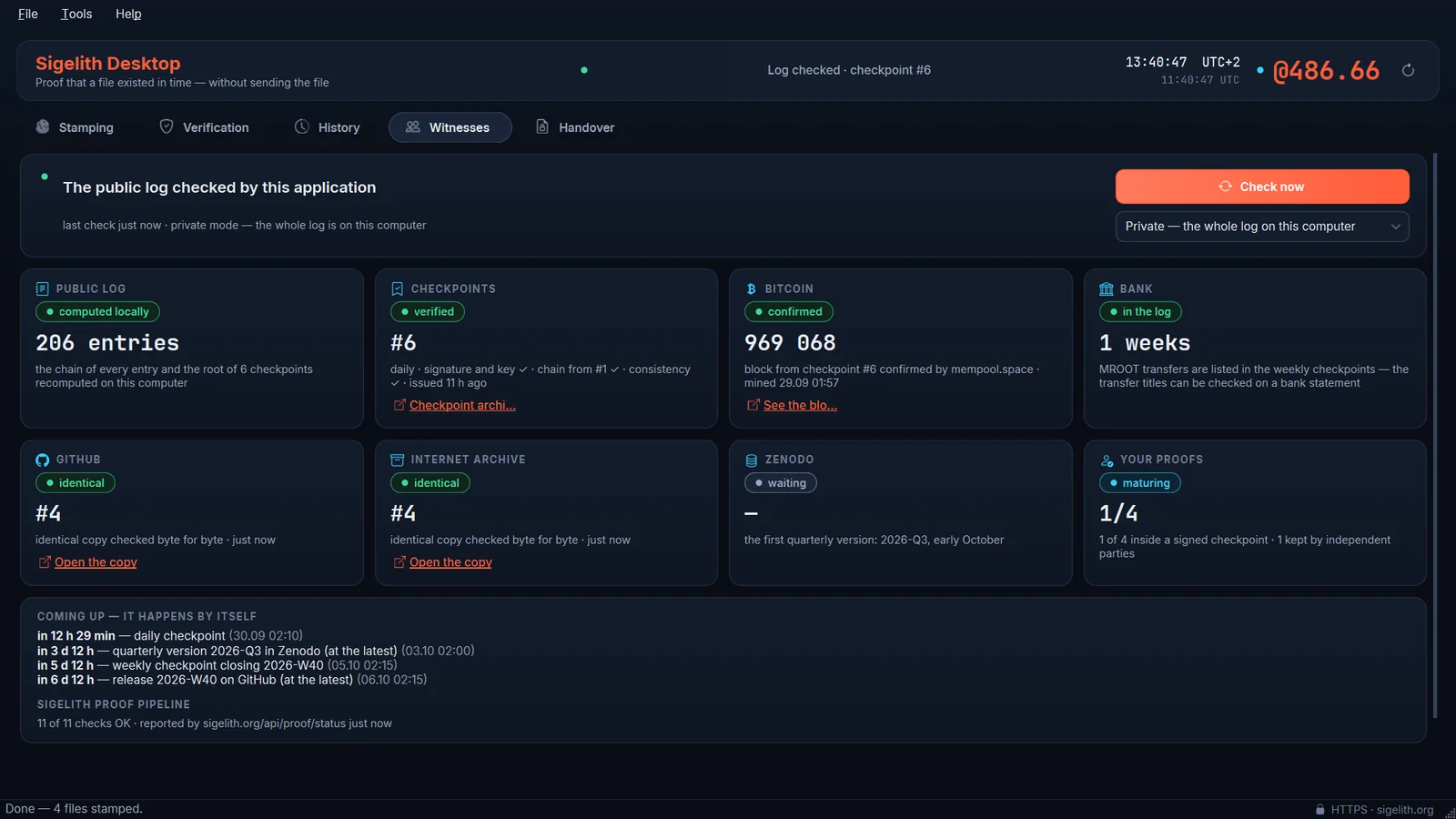
While it runs, the app audits the log by itself: signed checkpoints, the chain between them, copies at GitHub, the Internet Archive and Zenodo, and the Bitcoin blocks they name. Any mismatch raises an alarm.
Hand over files with proof of delivery
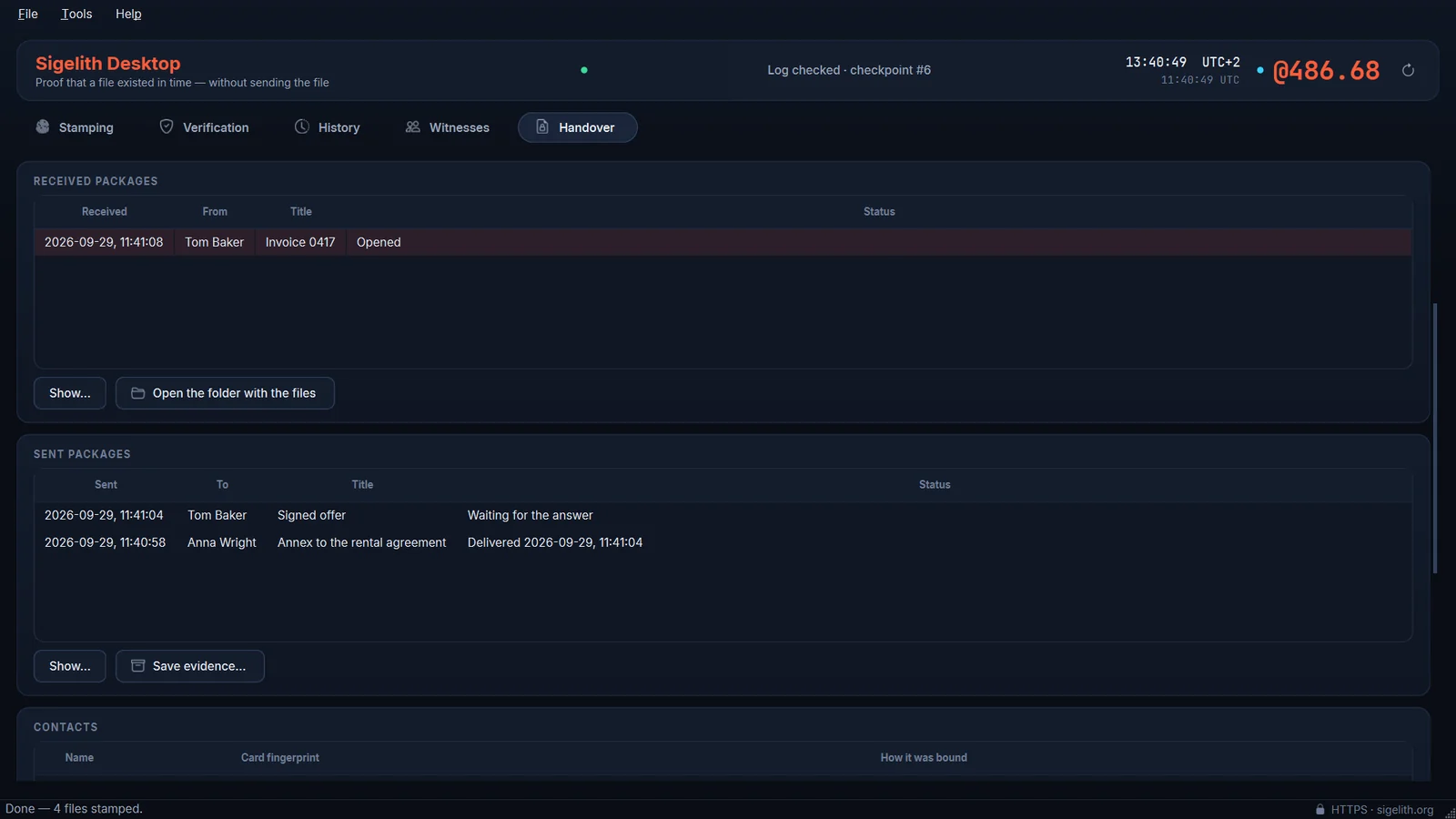
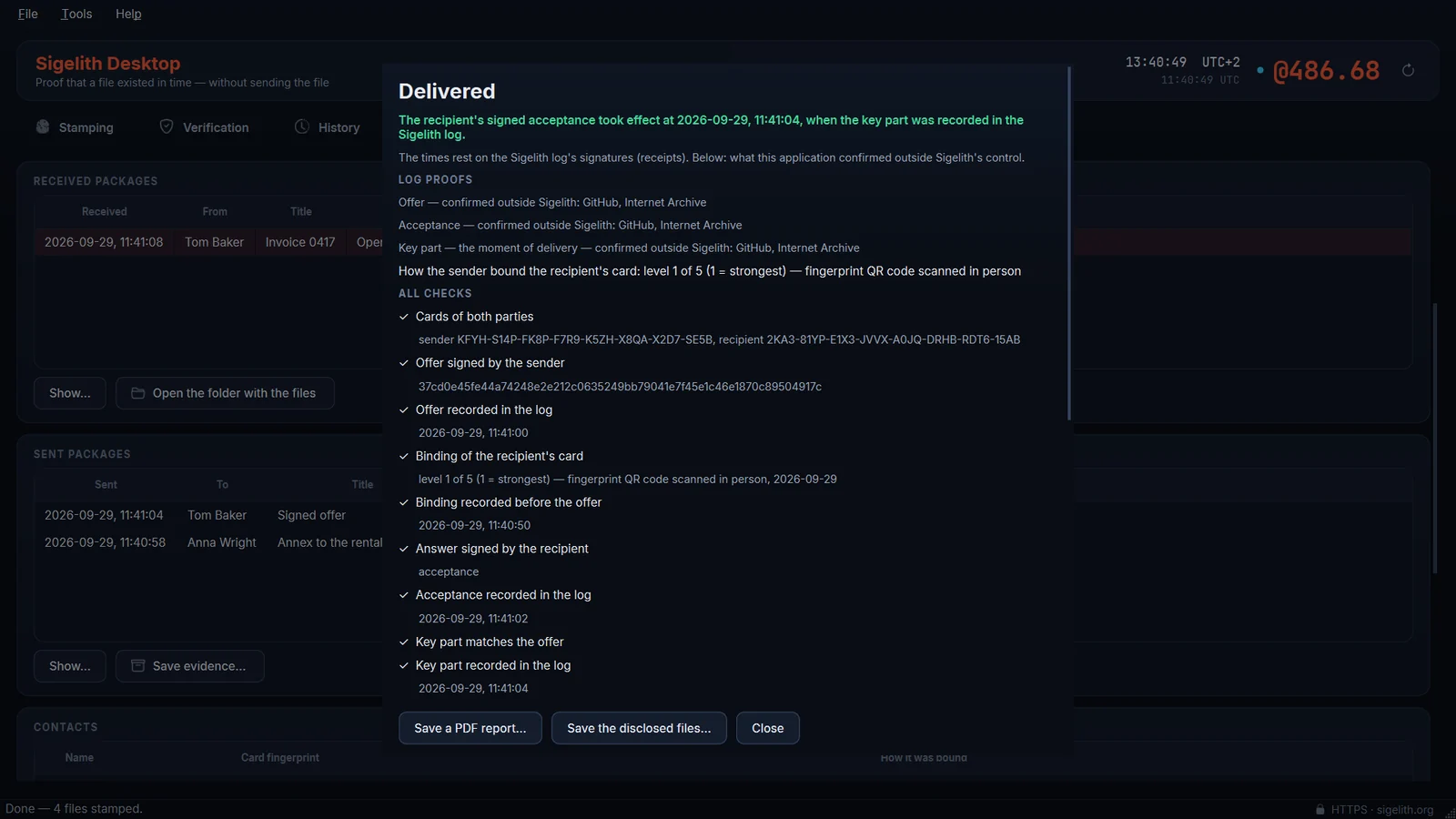
The recipient confirms receipt with their own key (Windows Hello), and the moment of delivery is recorded in the public log. The package travels between you; the Sigelith server stores nothing.
Screenshots
Manual
Everything the app does, in the order you will need it.
Install
Sigelith Desktop is coming soon to the Microsoft Store. It needs Windows 10 (22H2) or Windows 11, 64-bit. Your history and settings live in the folder %USERPROFILE%\Sigelith — outside the app, so they survive an uninstall. The app is available in 11 languages.
Timestamp a file
- Drag one or more files onto the Stamping tab, or use File → Stamp files… (Ctrl+O).
- The app computes each digest on your computer and registers only the digest in the public log. The file never leaves your computer.
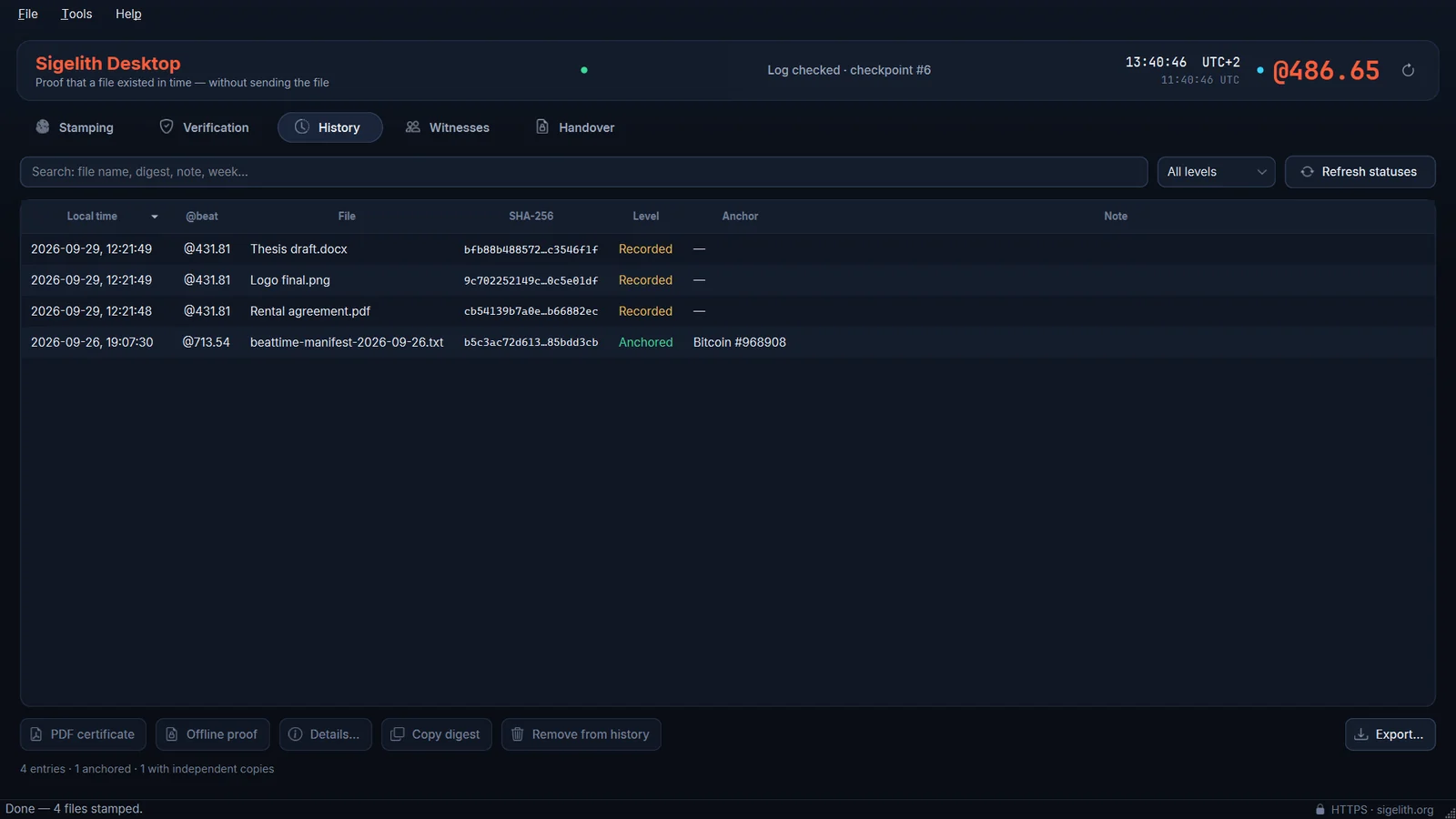
- Save the PDF certificate and keep the .beatproof file next to the original. The proof fits only the exact bytes: change one byte and the digest no longer matches.
A new stamp is recorded at once. It gets the log’s signature when the week closes and its Bitcoin anchor within about a day; the app refreshes the proof by itself (Tools → Refresh proof statuses, F5).
Verify a file or a proof
Drop a file on the Verification tab (Ctrl+Shift+O). The app recomputes the digest and checks the inclusion path and the signature locally. A .beatproof file (Ctrl+B) verifies completely offline. A signature made with a key that is not built into the program is never accepted as a proof.
Witnesses
The Witnesses tab shows what the app confirmed outside Sigelith’s control, and when. Two different signed files under one checkpoint number would be cryptographic proof that the log shows different histories to different people — the app keeps both files and raises an alarm. Check now: F8.
Hand over files with proof of delivery
- Create your card: Handover tab → Create my card. The signing key is created in Windows Hello and never leaves your computer; the card holds only public keys.
- Exchange card files with the other person and add each other as contacts. Compare the fingerprint in person or by voice — at least the first four groups. The app records how you did it.
- Send files (Ctrl+Shift+H): choose the contact and the files. The package is encrypted to the recipient’s card and travels by e-mail, a messenger, a USB stick or a shared folder.
- The recipient checks the package and accepts it with Windows Hello. Only then does your app publish the missing key part in the log — that moment is the delivery, and the recipient’s app opens the files by itself.
- Save the evidence package. Anyone can check it in Sigelith Desktop or on the verification page — Sigelith keeps no copy.
If the recipient does not answer in time, the offer lapses; if an acceptance comes too late to be completed, nothing is published and nothing is delivered. The app shows each of these states and deletes the keys it no longer needs.
For a reader without a verifier — a lawyer, an expert, a court — open the evidence with Verify evidence… and save a PDF report: every check in plain words, with instructions for checking it independently.
If a package does not open the way it was offered, the recipient’s acceptance has no effect. The app says so and saves a defect proof that anyone can recompute.
Settings
Settings (Ctrl+,) cover the connection — including Tor mode, which routes all traffic through a local Tor proxy to the Sigelith onion service — the witnesses and their third-party copies, the built-in keys, file names, the Handover exchange folder and the data folder.
- Ctrl+O
- Stamp files
- Ctrl+Shift+O
- Verify a file
- Ctrl+B
- Load a .beatproof proof
- Ctrl+Shift+H
- Send files with proof of delivery
- F5
- Refresh proof statuses
- F8
- Check the witnesses now
- Esc
- Stop the running task
Tips
Keep the original file
The proof is tied to the exact bytes. A copy re-saved by an editor or re-compressed by a messenger has a different digest — keep the original with its certificate.
Back up your data folder
The history is the only record of what you stamped. %USERPROFILE%\Sigelith is outside OneDrive and Windows Backup, so copy it yourself from time to time. Time Vault Backup (coming soon to Microsoft Store) can do it for you — together with the exact bytes of every stamped document.
Let a shared folder carry handovers
Choose a folder you share with the other person (OneDrive, Dropbox, Syncthing) in Settings → Handover. Packages and answers are then picked up automatically while the app is open.
Compare fingerprints properly
A card sent by e-mail can be swapped on the way. Read at least the first four groups of the fingerprint aloud, or scan it in person — that is what makes the proof of delivery point to a person.
Save the evidence at once
After a delivery, save the evidence package right away. It contains the log proofs with their signed receipts; Sigelith keeps no copy.
Private by default
Private mode keeps a copy of the whole public log (only digests, which are public anyway), so refreshing a proof never tells the server which one is yours.
Sigelith Desktop is free and open source (Apache-2.0). No account, no ads, no telemetry.
Microsoft Store · coming soon
Privacy in the app