
Time Vault Backup
Dated, optionally encrypted backups of your folders on an external drive — browse any version and restore just what you need.
Microsoft Store · coming soon
Sigelith Desktop
Windows 10 (22H2) or Windows 11, 64-bit. Interface in English and Polish. Version history saves space on NTFS drives; on exFAT or FAT32 every version is a full copy.
What it does
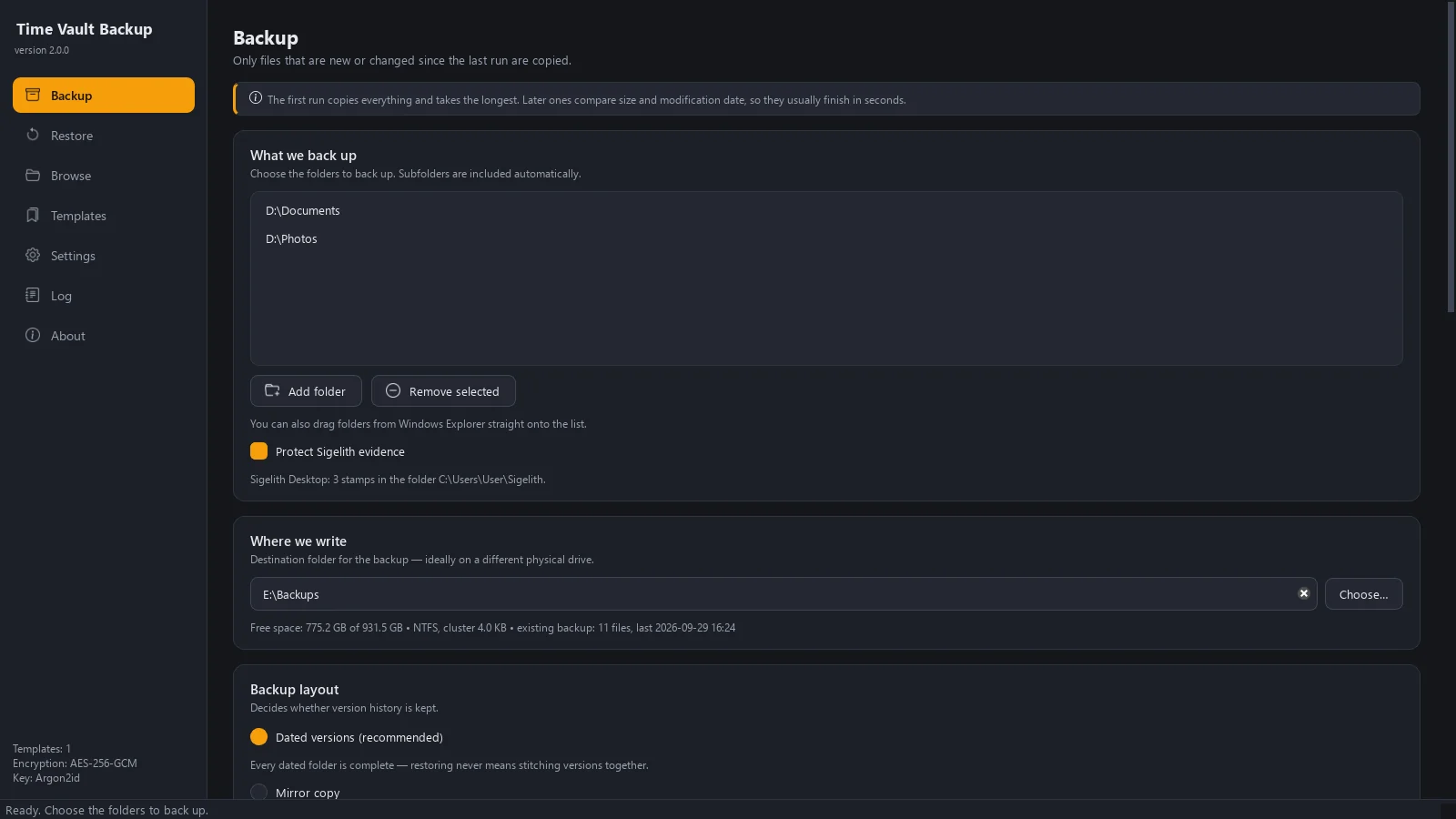
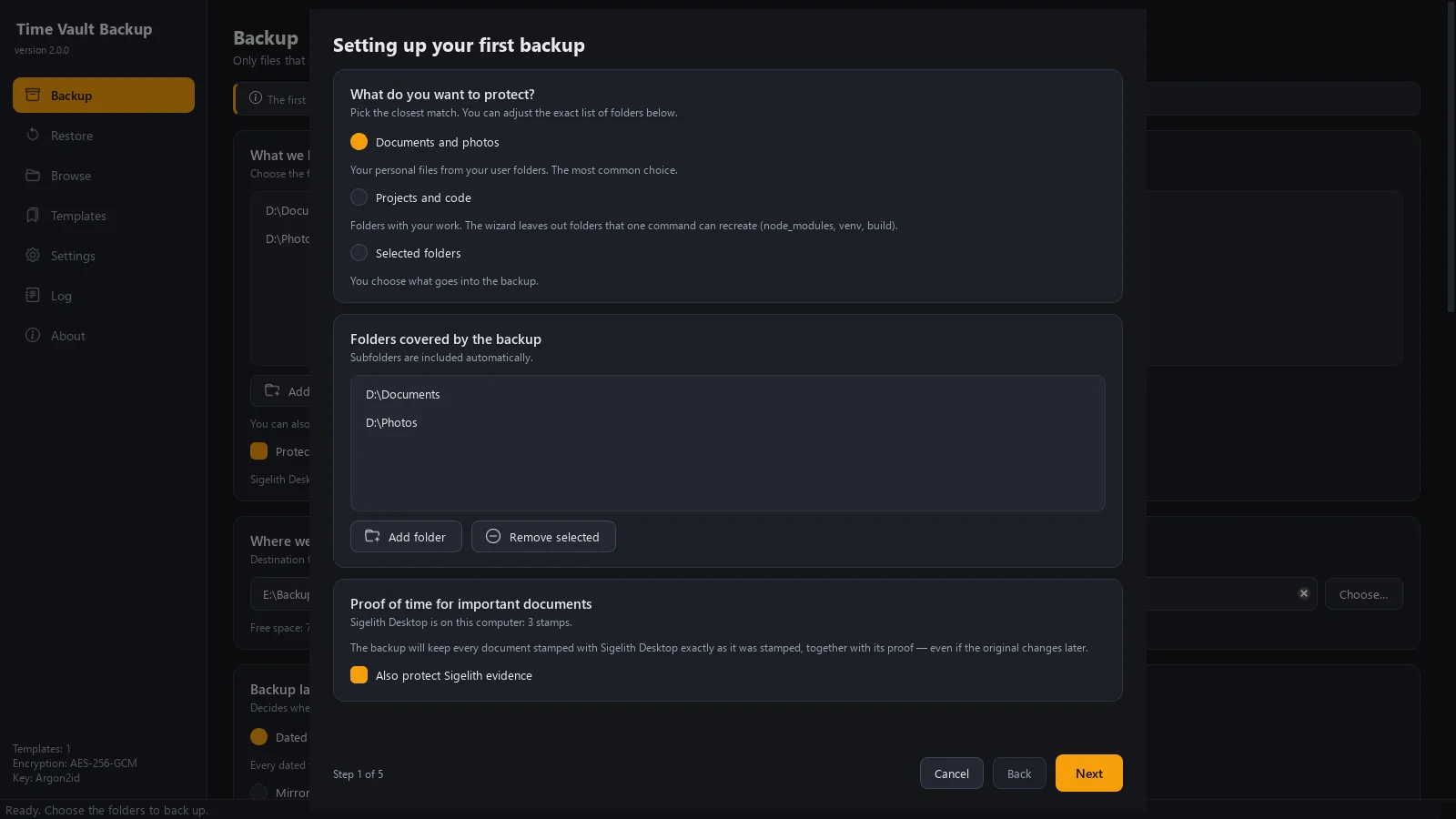
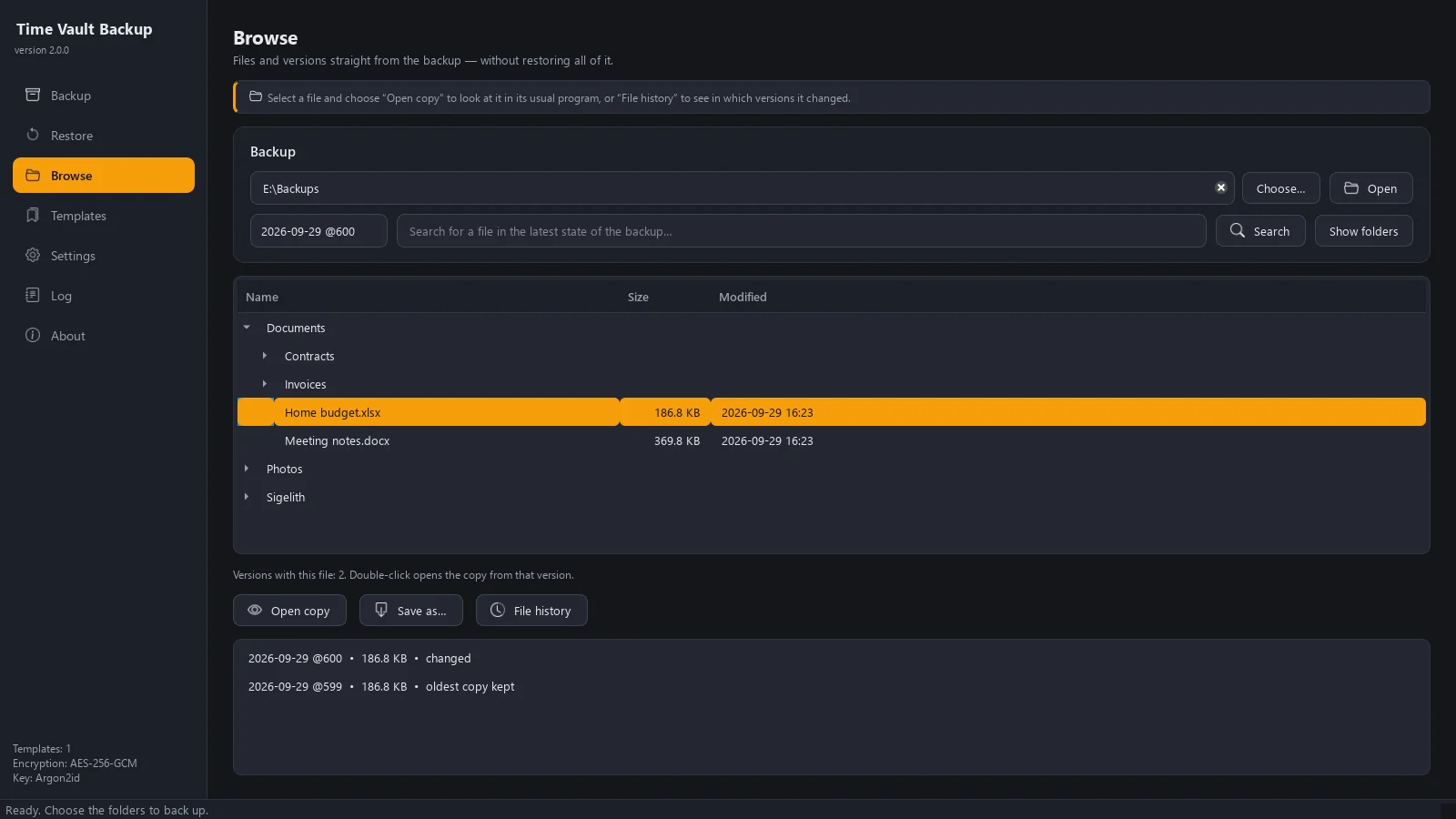
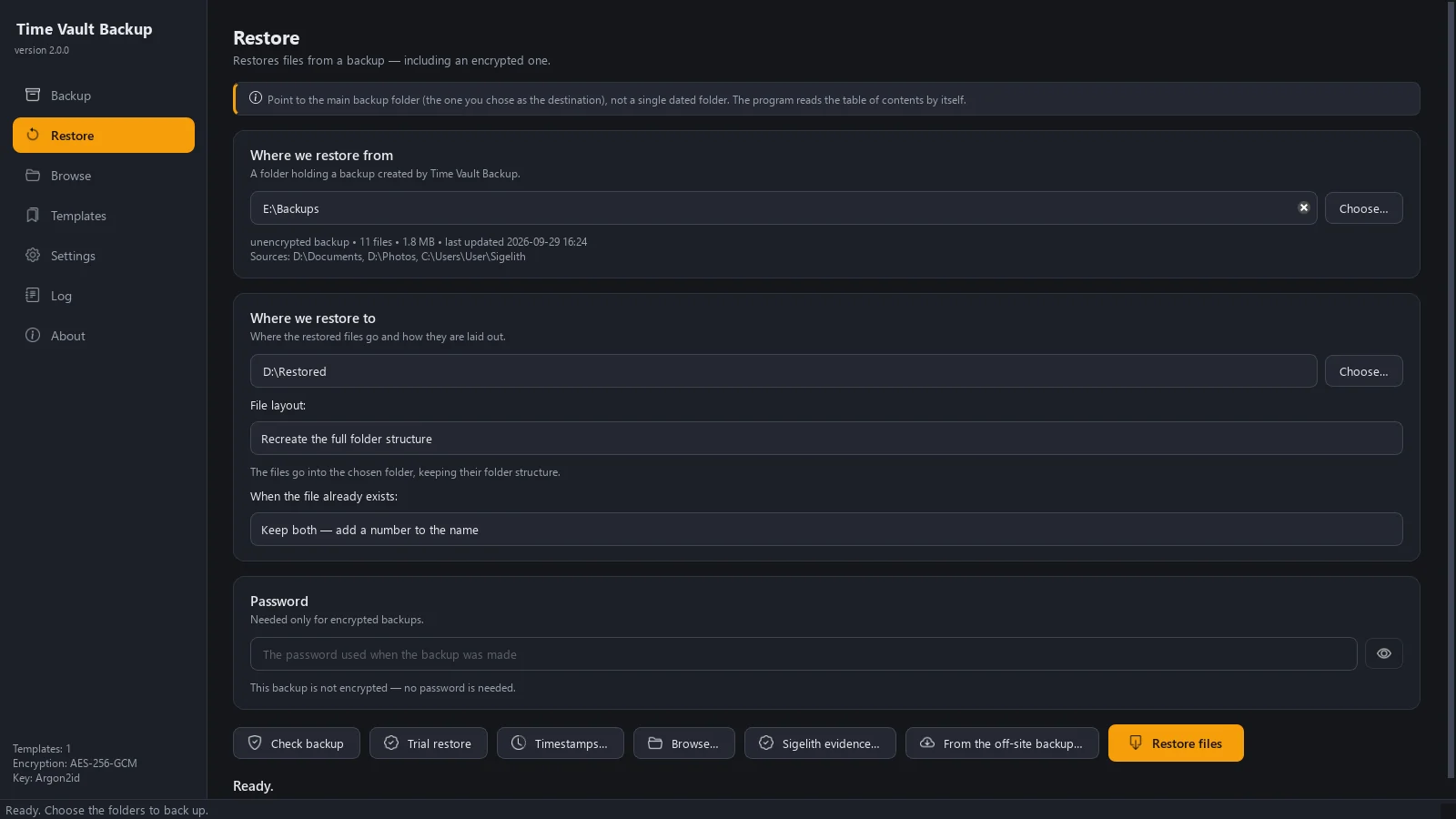
Time Vault Backup backs up the folders you choose — documents, photos, projects — to an external drive or another folder. Every run creates a complete, dated version; unchanged files are linked instead of copied, so the history takes only as much space as what actually changed. Moved or renamed folders aren't copied again, and for very large files only the changed parts are written. A five-step wizard sets everything up and shows the outcome before anything is copied. You can browse any version like a folder, see in which versions a file changed, and restore a single file or everything. Backups can be encrypted, run on a schedule or when the drive is plugged in, and pause to ask you when many files suddenly look encrypted. The drive carries a note and a small script for recovering your files without the program. No account, no ads, no telemetry.
- Complete dated versions; unchanged files take no extra space on NTFS drives.
- Moved or renamed folders aren't copied again; large files save only changed parts.
- Browse any version like a folder and see in which versions a file changed.
- Restore everything, a single folder, or files to their original locations.
- Optional AES-256-GCM encryption, with the key derived from your password (Argon2id).
- Daily backups at a set time, or whenever the backup drive is connected.
- Pauses and asks you first when many files suddenly look encrypted.
Back up your proofs — Time Vault Backup
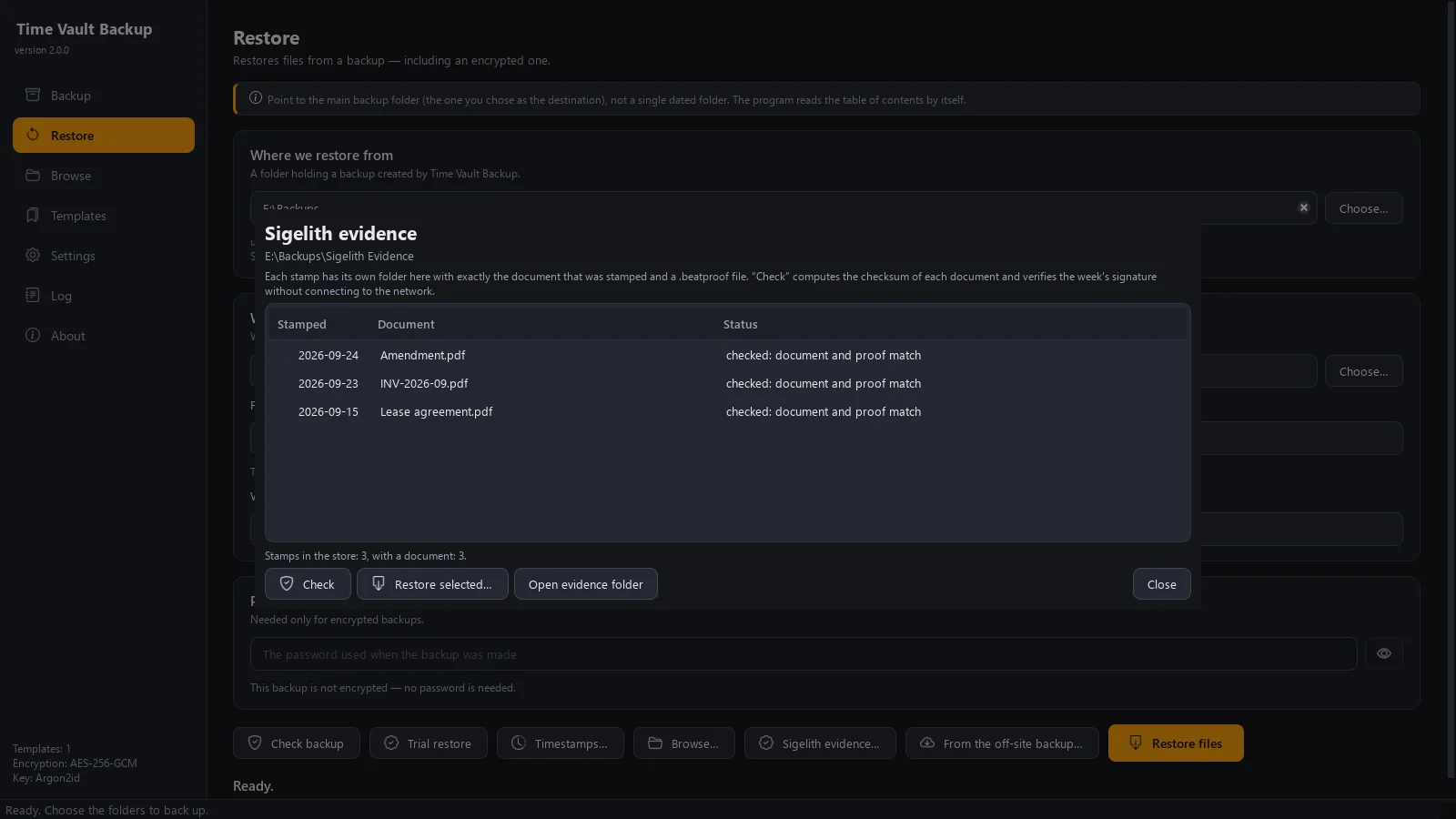
A Sigelith proof holds only the SHA-256 of your document, so it is only useful together with the exact bytes that were stamped. With “Protect Sigelith evidence” turned on, Time Vault Backup backs up your Sigelith Desktop data folder, including the stamp history, and keeps each stamped document exactly as it was stamped, checked against its hash, together with its .beatproof file, in a separate “Sigelith Evidence” store that retention never cleans up. If a document was edited after stamping, the program recovers the stamped version from older backups where it can — the proof itself is always kept — and the “Sigelith evidence” window checks proofs offline and restores documents.
Each backup version can also get a Sigelith timestamp: only a SHA-256 hash of the version’s file list is sent, and the weekly signature is checked with a key built into the program.
Screenshots
System requirements
Windows 10 (22H2) or Windows 11, 64-bit. Interface in English and Polish. Version history saves space on NTFS drives; on exFAT or FAT32 every version is a full copy.
Privacy
Nothing is sent over the internet unless you turn on one of two optional features: an off-site copy, encrypted on your computer and sent directly to your own S3-compatible storage, or Sigelith timestamps, which send only a SHA-256 hash of a backup's file list to sigelith.org. “Protect Sigelith evidence” works entirely on your computer.
Microsoft Store · coming soon