Recording an encrypted disc
Why
So that nobody who finds or takes the disc can read your files. The content of every file on the disc is encrypted in the open age format. Only someone who knows the disc password can read it.
Before you start
- Without the disc password nobody can read it, not even you. The password cannot be recovered or reset. The program stores it nowhere except on the disc card, which you print or save.
- On an encrypted disc, the names of files and folders, the checksums, the README and the seal remain visible. Encrypted are: the content of the files, the file index, the file proofs and the disc register.
- The disc password is a separate password, independent of the backup password.
Step by step
- Start as in the task “Recording a backup version on a disc” or “Recording selected files and folders”, and go on to the “Record on what?” page.
- Tick “Encrypt the disc with a disc password”.
- Leave “Generated password (recommended)” selected. The program shows a password of five groups of five characters, for example 6RZMP-XCWBK-2Y5XX-LXMYD-4ADCD. The hyphens are part of the password. The password has no characters that are easy to confuse (0 and O, 1 and I). The “New password” button generates another one.
- Your own password: select “Own password” and enter at least 12 characters, only from the English keyboard, without accented letters and without spaces. You will be able to type such a password on any computer years from now.
- Click “Next” and record the disc as in the task “Recording a backup version on a disc”.
- After the disc has been recorded and checked, click “Print disc card…” and print the card. Instead of printing, you can click “Save disc card (PDF)…”, but that file is as secret as the password: do not keep it in the cloud or next to the disc.
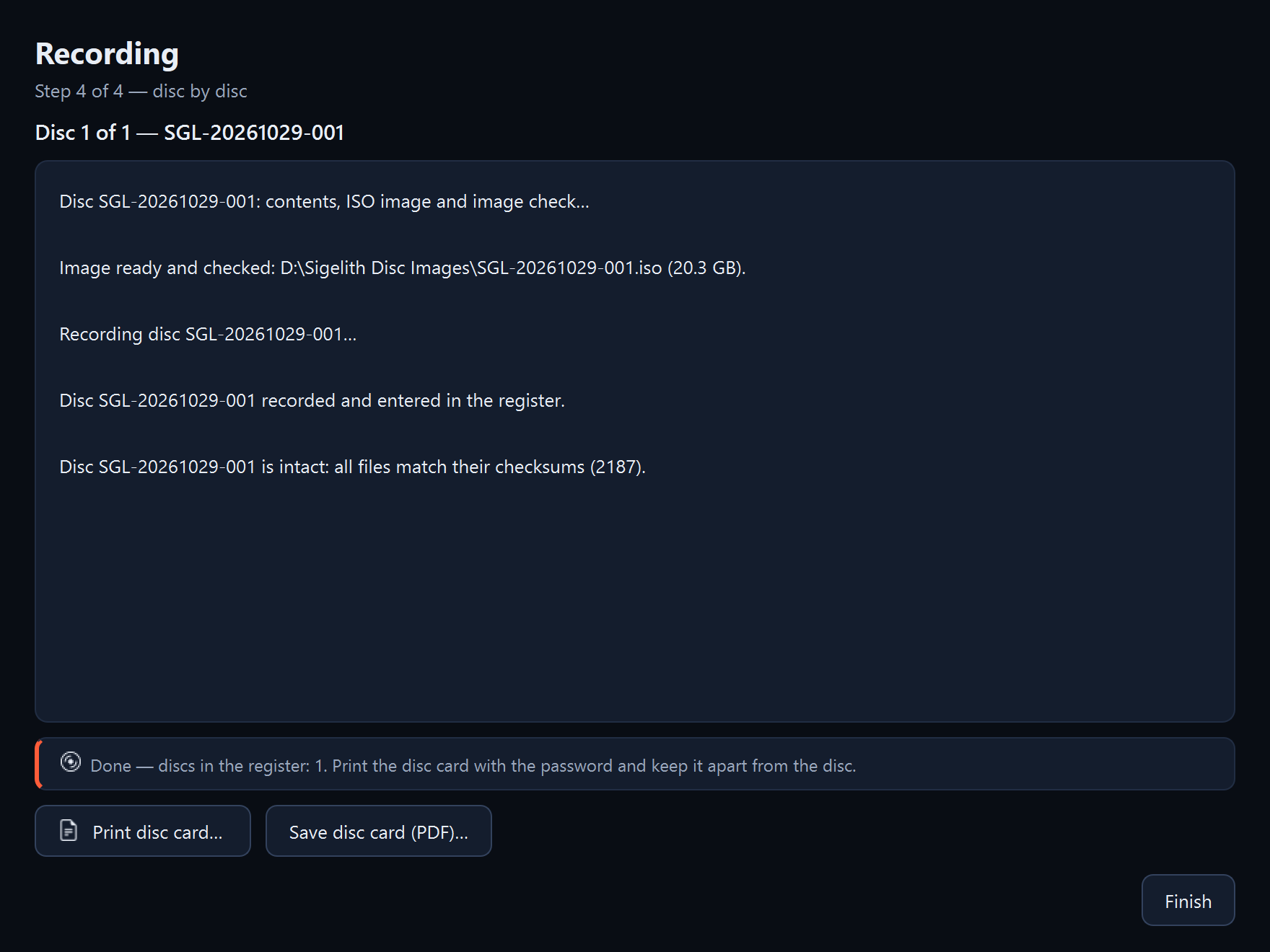
- Click “Finish”.
What you should see
A disc card with the label, recording date, contents, disc password and short instructions for reading the disc, in Polish, English and German.
What next
- Keep the card in a different place from the disc, for example the disc in a safe at your parents' and the card with your papers at home. Whoever has both can read the disc.
- You restore files from the disc in the program, by entering the disc password (see “Restoring files from a disc”), or without the program, with the age program from the disc (see “Reading a disc without the program”).
If something goes wrong
- The wizard does not accept your own password: the password must have at least 12 characters, only from the English keyboard, without accented letters and without spaces.
- The program asks whether to continue without a printed or saved card: click “No” and print or save the card. Without it you cannot read the disc.
- The disc password is lost: see “I don't remember the backup or disc password”.